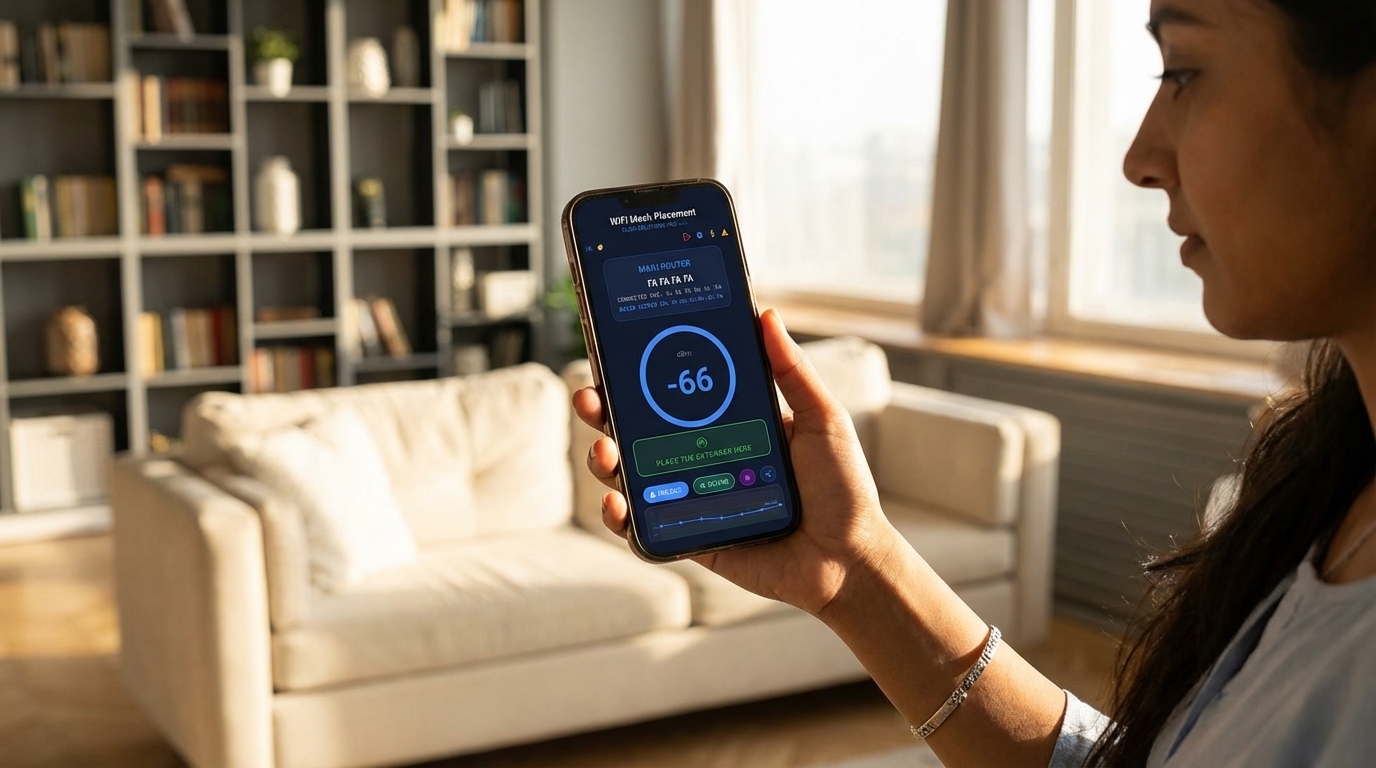
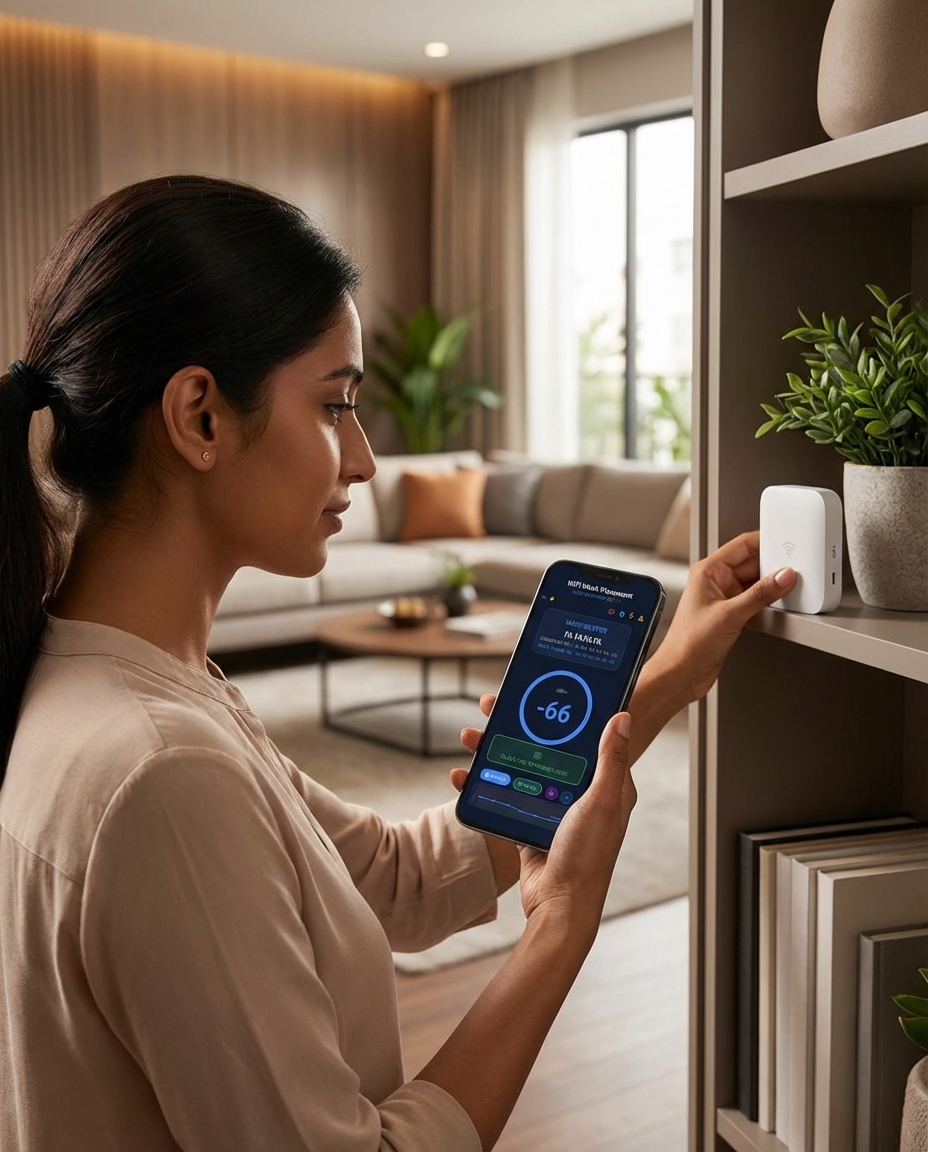
Walk your space with your phone and let real-time RSSI scanning guide you — with audio beeps, a live signal graph, and a 10-second Sweet Spot confirmation — to the exact location where your mesh extender will perform best.
Log in with Google or your activation code. Get 5 free scans instantly — no credit card needed. Your scan quota and activation status are securely stored in the cloud.
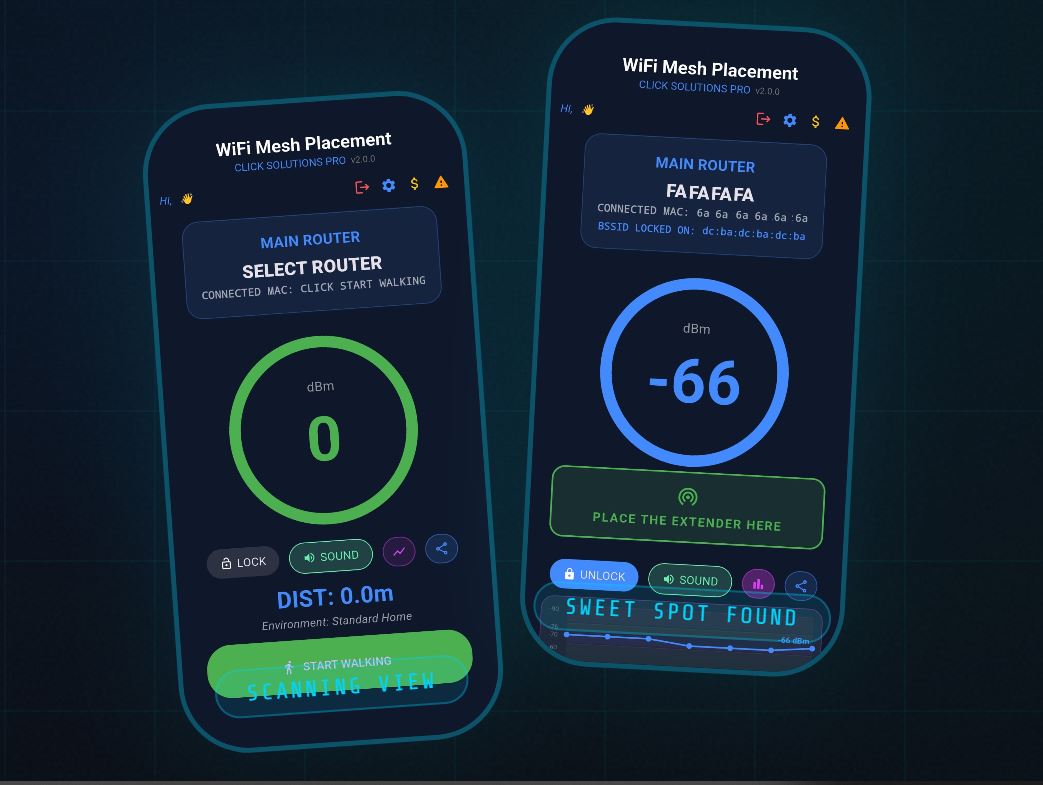
Stand next to your main router and tap the MAIN ROUTER panel. Choose your network from the live WiFi scan list. Filter by 2.4 / 5 / 6 GHz band and lock onto the exact BSSID you want to measure.
Tap START WALKING and move away from your router. The RSSI circle updates every 2 seconds. Audio beeps guide you — slow beeps as you approach the Sweet Spot, fast rapid beeps when you're in it.
When the app detects a stable Sweet Spot for 10 continuous seconds, a green banner confirms: PLACE THE EXTENDER HERE. Mark the spot and install your extender — done.
The RSSI circle color tells you exactly where you are relative to the Sweet Spot. All values are in dBm — closer to 0 means stronger signal.
-40 to -60 dBm — Move away from the router. Extender placement here wastes coverage range.
-61 to -70 dBm — Ideal extender placement zone. Audio beeps activate. 10-second confirmation countdown begins.
-71 to -76 dBm — Marginal signal. Extender may struggle to maintain a reliable backhaul connection here.
-77 dBm & below — Too far from the router. Move back toward it until the signal improves.
25+ years of enterprise network engineering, distilled into a single powerful mobile tool that any technician — or homeowner — can use.
We believe every home and enterprise deserves a flawless wireless experience. WiFi Mesh Placement puts professional-grade RSSI analysis in your pocket — removing guesswork from mesh extender deployment and giving you a data-driven answer to the question everyone gets wrong: where exactly should this go?
Most mesh extenders are placed by intuition — in the wrong spot. Too close to the router and the extender has nothing to extend. Too far and it loses its backhaul connection. WiFi Mesh Placement guides you to the precise Sweet Spot zone (-65 to -70 dBm), confirmed by a 10-second stable reading and audio feedback, so you place it right the first time.
CLICK Solutions Pro was founded by network engineers with roots in enterprise telecommunications. After years configuring large-scale mesh deployments for hotels, hospitals, and smart buildings, we built the tool we always wished existed for field technicians and home users alike.
WiFi Mesh Placement is the direct result of decades of on-site experience — from RF survey equipment costing thousands of dollars, condensed into an Android app you can use today.
Start free with 5 scans, no credit card required. Upgrade when you need more. Every plan includes the full app — real-time scanning, Sweet Spot detection, audio guidance, and the RSSI graph.
Last updated: March 2026. CLICK Solutions Pro ("we", "our", "us") operates the WiFi Mesh Placement mobile application. This page informs you of our policies regarding the collection, use, and disclosure of personal data.
Your data is used solely to provide the app's functionality: authenticating your account, tracking your scan quota, and enabling result sharing. We do not sell, rent, or trade your personal information to third parties.
We use the following third-party services to operate the app:
Your account data is retained as long as you use the app. You may request deletion by contacting us at the address below. WiFi scan data is processed locally on your device and is not transmitted to our servers.
For privacy-related inquiries: clicksolutionspro .com
Have questions about WiFi Mesh Placement? Need help with your activation code, a custom enterprise plan, or technical support? Our team responds within one business day.